Separate 2.4G and 5G
Digi ZYXEL EX3300-T0
1. Login into Web-Based Configurator (192.168.50.1)
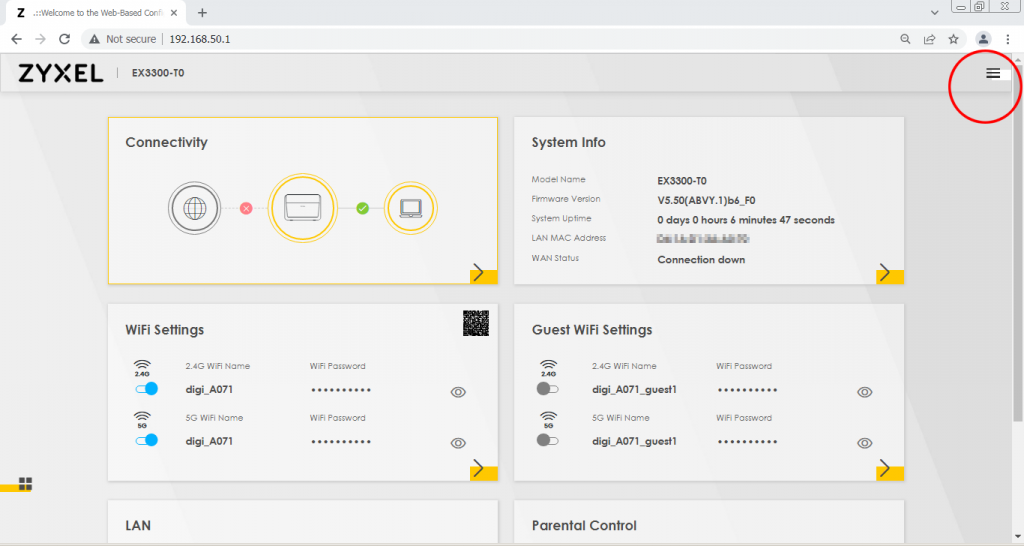
Login into Web-Based Configurator, locate the Setting Icon at top right corner of the screen.
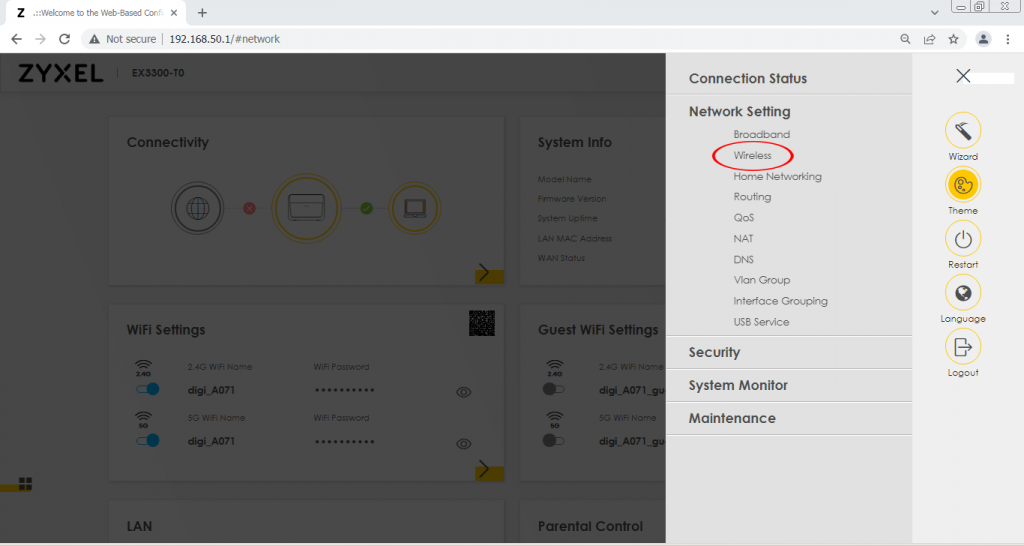
2. Enter Network Setting > Wireless
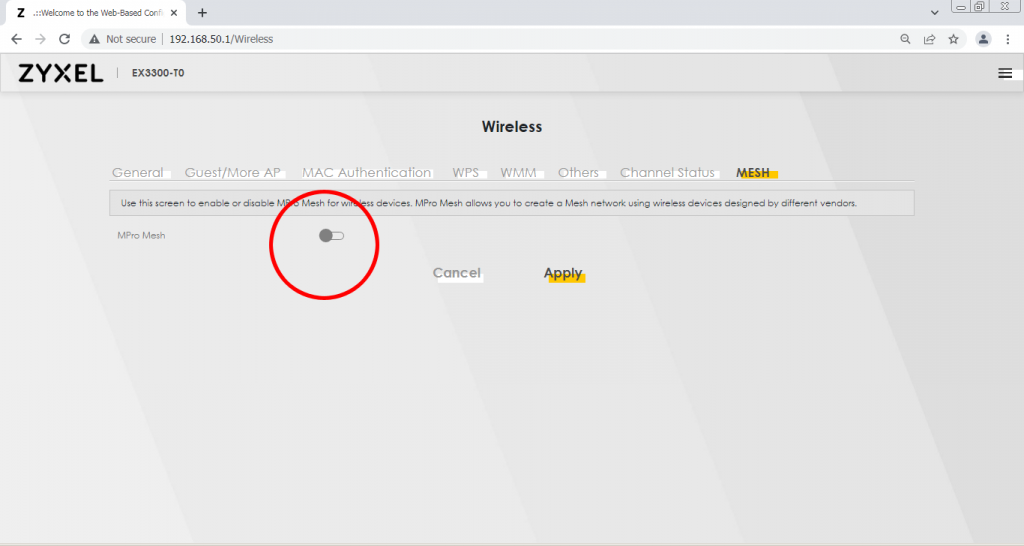
3. Disable MPro Mesh
Enter Network Setting > Wireless > MESH. Disable MPro Mesh.
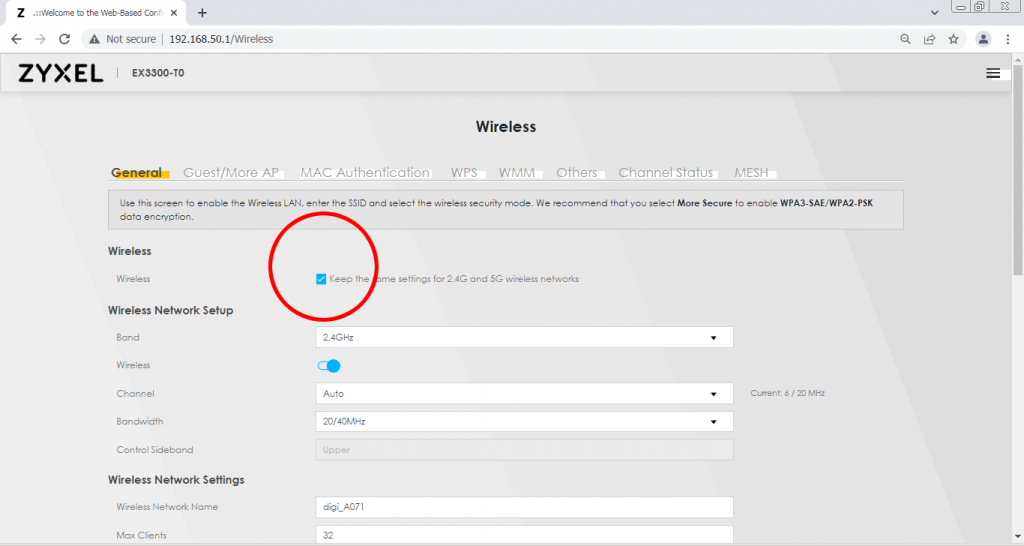
4. Uncheck Keep the same settings for 2.4G and 5G wireless networks
Enter Network Setting > Wireless > General. Uncheck “Keep the same settings for 2.4G and 5G wireless networks”. After uncheck click [Apply]
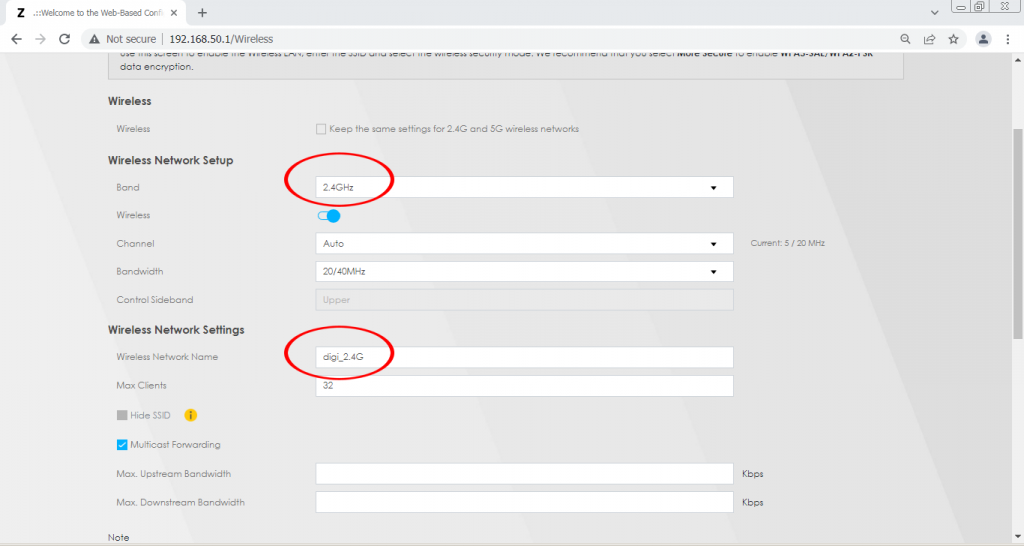
5. Rename 2.4GHz Wireless Network Name
Under “Wireless Network Setup”, “Band” choose [2.4GHz].
Under “Wireless Network Settings”, “Wireless Network Name” enter [digi_2.4G].
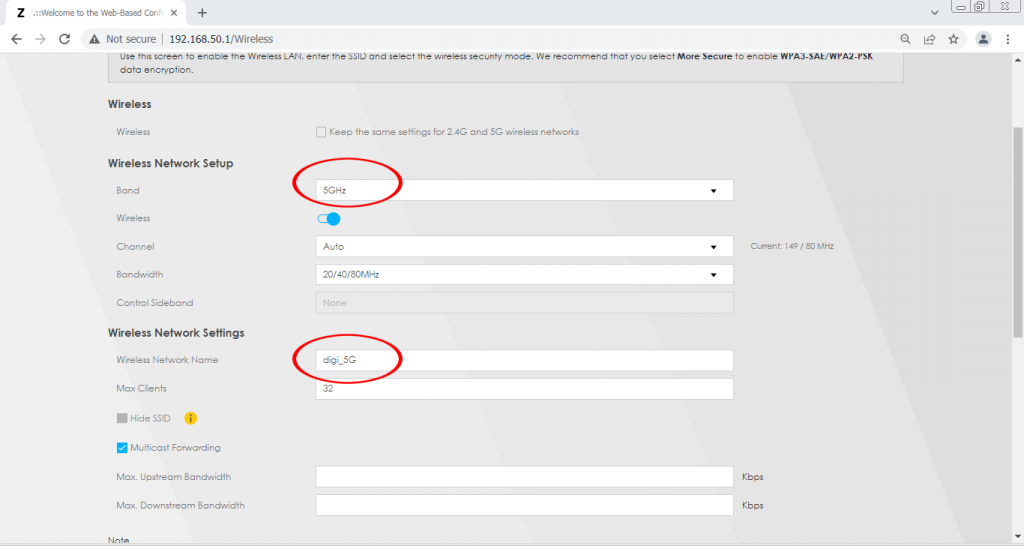
6. Rename 5GHz Wireless Network Name
Under “Wireless Network Setup”, “Band” choose [5GHz].
Under “Wireless Network Settings”, “Wireless Network Name” enter [digi_5G].
Share this